Magix Movie Studio Suite 2023
-
-

-
-
-

Playing videos requires marketing & advertising cookies. By pressing Play, you consent to their use, which will override previously rejected settings. To update your preferences, see our cookie policy.


Key Features
- Flexible suite of video editing tools
- NewBlue Stylizers to transform your footage
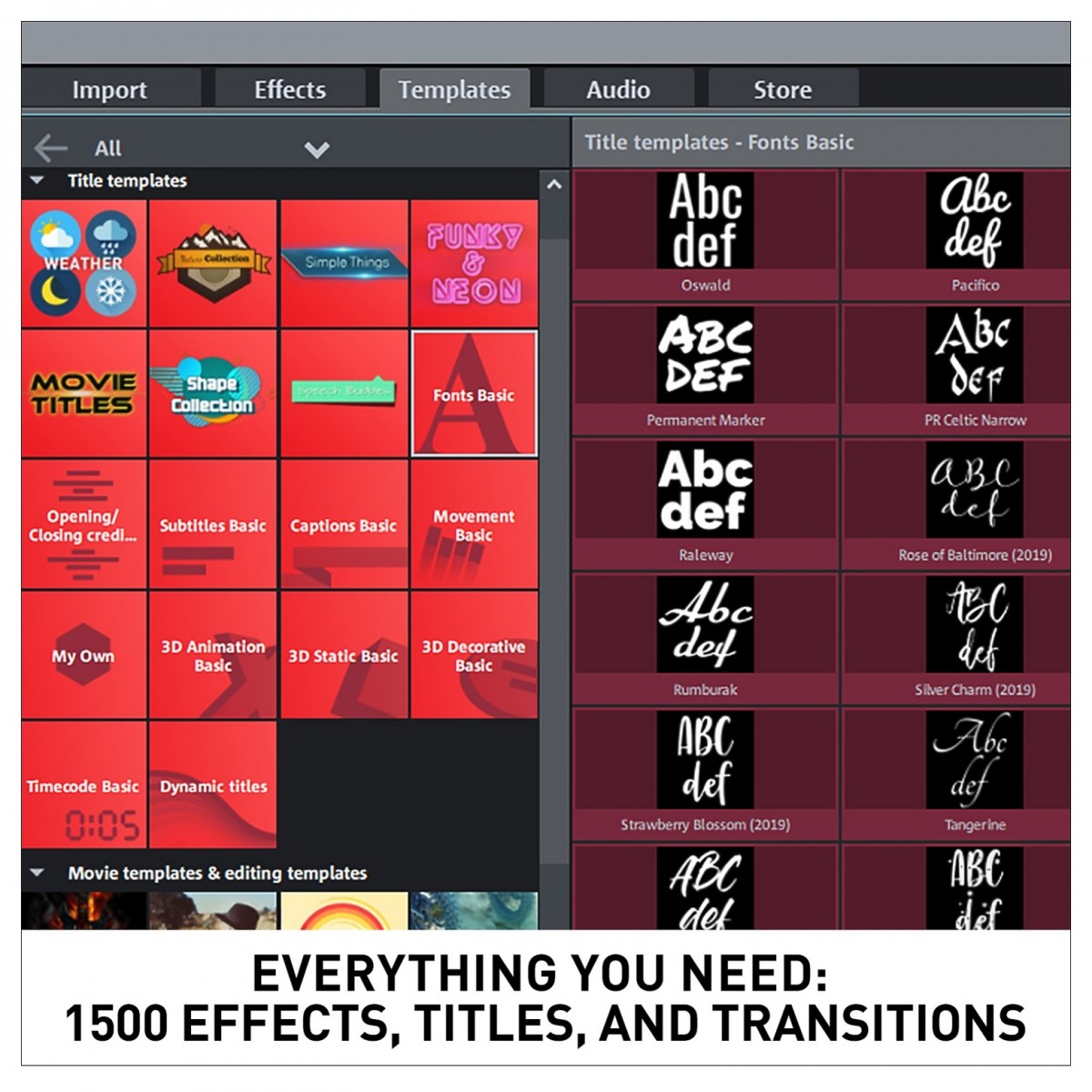
- Discover up to 1,500 effects, transitions, titles and templates
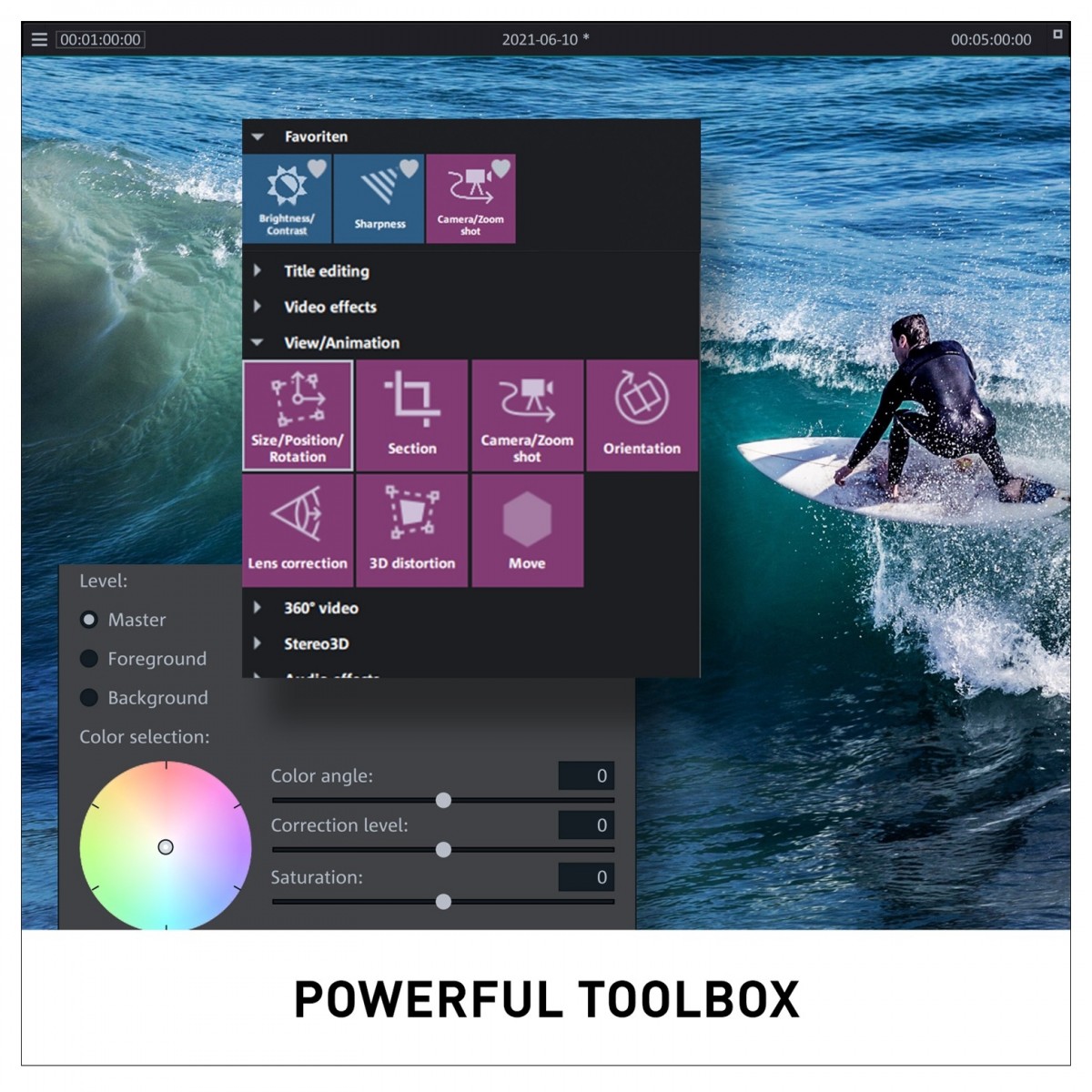
- Enhance pictures and sound with detailed colour correction
- Create intense highlights with slow-motion time-lapse effects
Magix Movie Studio Suite 2023 Overview

The Magix Movie Studio Suite 2023 is a powerful video editing program that provides users with a wealth of features and tools to help them create stunning videos. From animations and slow-motion effects to travel routes and colour correction, Magix Movie Studio Platinum 2023 has it all. including NewBlue Stylizers 5 Illuminate and NewBlue Essentials 5 Ultimate to instantly transform footage with stunning artistic effects.
Discover up to 1,500 effects, transitions, titles, and templates to further enhance your videos. Plus, with exclusive subscription content powered by Storyblocks, containing over one million articles, you can take your video editing to the next level. Furthermore, with multicam editing for up to four cameras, plus travel maps and shot match, you can create intense highlights with slow-motion time-lapse effects. Plus, the program is designed to work on any computer, from entry-level machines to high-end workstations.
The Magix Movie Studio Platinum 2023 is a must-have for any video editing enthusiast. With its incredible range of features and intuitive user experience, this program will help you create professional-looking videos with ease.
Product Ref: 249780
Full Description
View Full DescriptionIntuitive video editing with Magix Movie Studio Platinum
Unleash your creativity and create stunning videos effortlessly with Magix Movie Studio Platinum. This powerful video editing software offers unparalleled simplicity, allowing you to focus on your creative vision while taking advantage of its advanced features. Magix Movie Studio Platinum has everything you need to produce high-quality, professional-looking videos.
Customisable storyboard and timeline modes
Magix Movie Studio Platinum caters to your preferred editing style by offering both storyboard and timeline modes. Choose the storyboard mode for a visual layout that's similar to a screenplay, or switch to timeline mode with track view for more detailed editing. Full track handling allows you to sort, rearrange, and duplicate tracks, while colourising options help you visually structure your project.
Precise keyframe control and wizards
Control effects such as movement, colour, and speed with frame-precise keyframes, ensuring an intuitive workflow for scenes that require special attention. For extra support, helpful wizards are available to guide you through the process of importing, optimising, and editing your footage, delivering high-speed results every time.
Multicam editing and gap-finding functionality
Perfect for events filmed with multiple cameras, Magix Movie Studio Platinum's multicam mode lets you edit up to four recordings simultaneously in the preview monitor. Easily define which recording should display, and when, with automatic cuts made as you work. The innovative gap-finding function automatically identifies and closes gaps in your projects, saving you time—especially on larger projects.
360-degree workflow and video optimisation
Ready for your 360-degree videos, Magix Movie Studio Platinum offers a complete package for 360-degree video editing. Optimise less-than-perfect recordings with a variety of options for colour correction and modification. Professional video stabilisation, borrowed from VEGAS Pro, produces high-quality results with just one click.
Advanced colour grading and deep colour support
Modify colours to create new effects and aesthetic appeal with ultra-precise colour grading tools. Magix Movie Studio Platinum now supports 16-bit Deep Colour, allowing for more detailed colour grading than ever before. Easily transfer visual characteristics from your best footage to other clips, or create your own unique film looks.
Over 1,500 effects, titles, and transitions
Breathe life into your videos with over 1,500 effects, titles, and transitions. Choose from high-quality intros/outros, editing templates, and travel effects, with new content constantly added. Dynamic title animations and layer masks help you achieve breathtaking effects and transitions, while dynamic slow-motion and time-lapse effects add an extra layer of excitement to your projects.
MAGIX travel maps for impressive travel routes
Make your travel routes stand out with MAGIX Travel Maps, an in-house development offering nine maps, a vast selection of locations, waypoints, and transport types. Represent all stops on your journey with photos and titles, creating a memorable and engaging travel video.
Features
- Flexible suite of video editing tools for users of all levels
- Intuitive interface with helpful hints and wizards for seamless navigation
- 1,500+ effects, transitions, titles, and templates for enhanced video production
- Detailed colour correction and advanced colour grading tools for refined visuals
- Slow-motion time-lapse effects for creating intense highlights
- Customisable storyboard and timeline modes for personalised editing experience
- Precise keyframe control for accurate effect management
- Multicam editing for up to four cameras and gap-finding functionality for efficient project completion
- 360-degree video editing workflow and optimisation tools for immersive content creation
- Deep colour support for more detailed colour grading
- MAGIX travel maps for creating visually impressive travel routes in videos
- Compatible with a wide range of computers, from entry-level to high-end workstations
- NewBlue Stylizers 5 Illuminate and NewBlue Essentials 5 Ultimate
Specifications
- Processor: 2.4 GHz
- RAM: 4 GB or higher
- Graphics card: Onboard, min. resolution 1280 x 1024, 512 MB VRAM and DirectX 11 support (recommended: Intel Graphics HD 520 or better for MPEG2/AVC/HEVC)
- INFUSION Engine 3: Supports video acceleration for AVC and HEVC on Intel, NVIDIA or AMD GPUs with 1GB VRAM or higher (Example: Intel Graphics HD 630, NVIDIA Geforce GTX 1050, AMD Radeon RX470)
- Available drive space: 2 GB for program installation
- Program languages: English, Deutsch, Français, Español, Italiano, Nederland
- Product code: 639191910289-ESD
| Reviews of our service
View all